WooCommerce analytics, off your WordPress.
wp_postmeta is where analytics queries go to die. BeQuery clones your WooCommerce database to an isolated PostgreSQL copy and answers the questions your wp-admin reports can't.
Why WooCommerce stores hit a wall
wp_postmeta kills every report
Orders as posts, totals as meta rows: real questions need joins that crush MySQL. We run them on the clone, in PostgreSQL, with proper indexes.
Another plugin is not the answer
Analytics plugins add load, tables and attack surface to the same server that's serving customers. BeQuery adds nothing to WordPress — it connects to the database directly.
Your data, locked in wp-admin
The built-in analytics can't answer restock velocity, customer LTV or category margins. With BeQuery it's a saved query — or a card that's already there.
Answers, out of the box
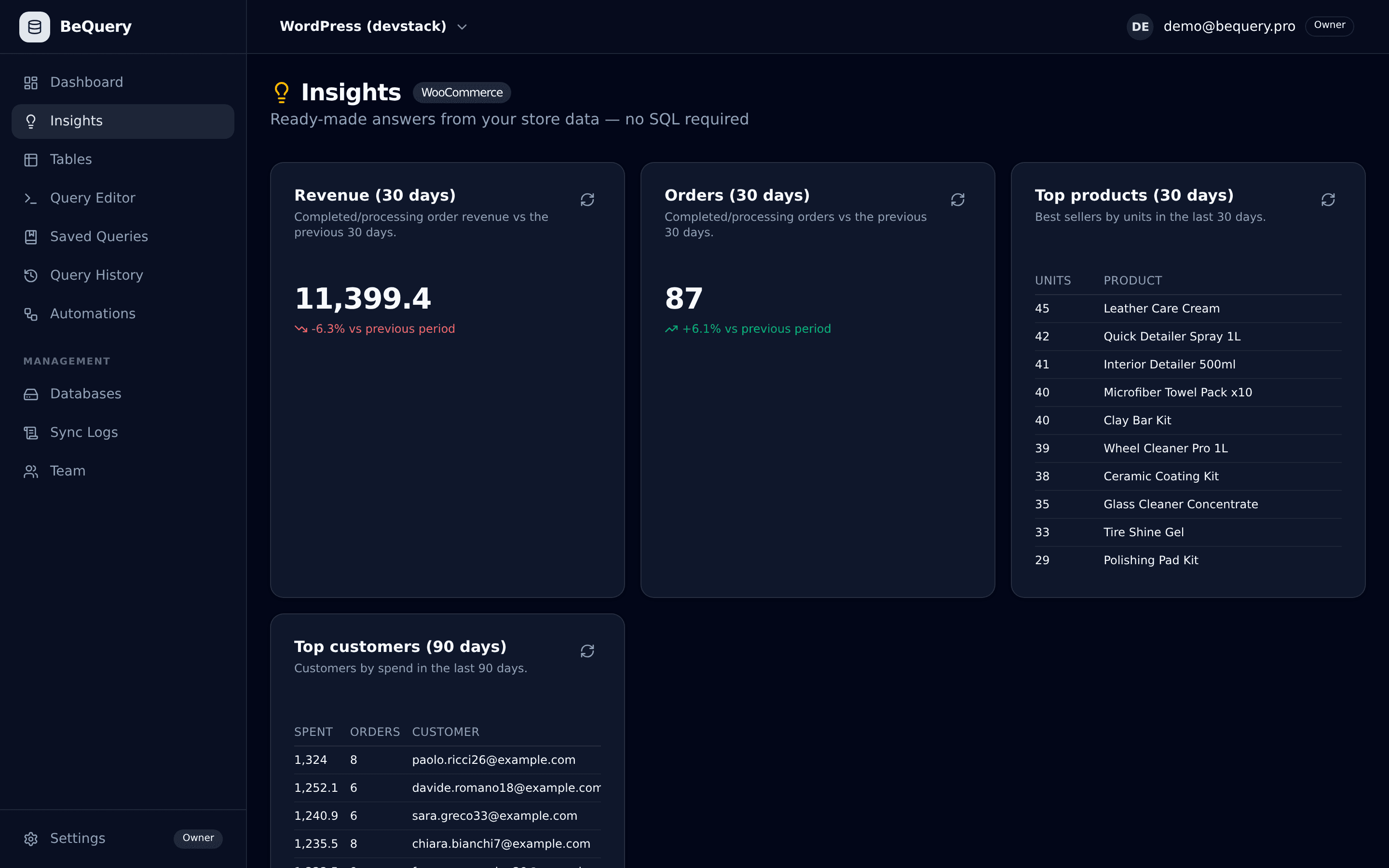
Connect and BeQuery recognises WooCommerce, then builds these automatically:
- Revenue and orders — this month vs last (completed + processing)
- Top products by units (30 days), from real line items
- Top customers by spend (90 days)
- Scheduled email reports on any of the above
- Alerts when orders drop or a bestseller runs low
Common questions
Classic orders or HPOS?
The insight pack reads the classic post-based schema today (the vast majority of stores). HPOS stores can use the full SQL editor and AI on the lookup tables — HPOS-native cards are on the roadmap.
Do I need to install a plugin?
No. BeQuery connects to your MySQL database directly with a read-only user — nothing is added to WordPress.
Will syncs slow my site?
Syncs read in bounded batches over one connection, typically overnight. All analytics then run on the clone — your WordPress never sees a reporting query again.
Ready-to-run WooCommerce queries
Prefer SQL? These templates run on your clone from day one.
Top selling products in WooCommerce
Best-selling WooCommerce products by quantity, from the order line items.
Monthly revenue in WooCommerce
WooCommerce revenue grouped by month from completed and processing orders.
Top customers by spend in WooCommerce
Rank WooCommerce customers by total spend across their paid orders.
Customer lifetime value in WooCommerce
Average lifetime spend per WooCommerce customer (by billing email).
Repeat purchase rate in WooCommerce
Share of WooCommerce customers (by email) with more than one order.
Everything included
Connect your WooCommerce store in 5 minutes
Free tier, no credit card, read-only access — we even generate the MySQL GRANT statement for you.
Start free